How to start a broadcast
Send live match events to Slack, Discord, Telegram or your own server.
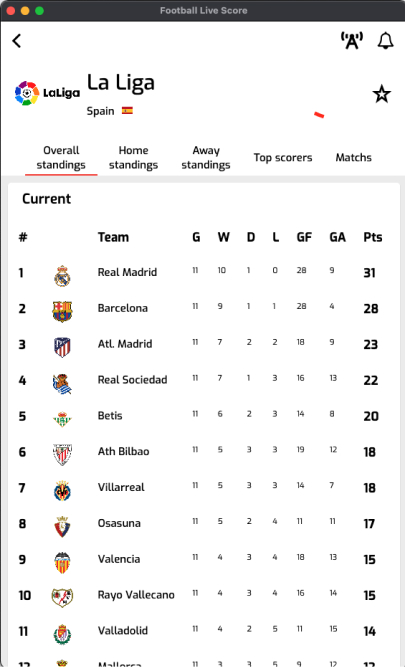
Click on the broadcast button
You can start a broadcast of football events by clicking on the broadcast button on several screens: upcoming or live match details, team details, league details and player details.
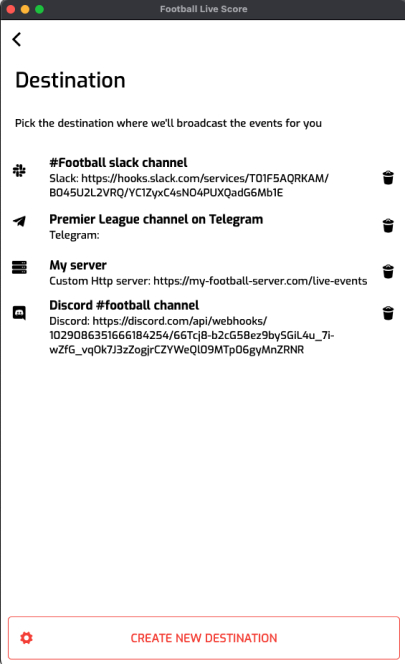
Pick a destination
You can broadcast events to 4 kinds of destinations: Slack, Discord, Telegram or your own web server.
If you have no destination ready yet, you can create one. The Telegram, Discord, Slack and webhook pages explain how to set each one up.
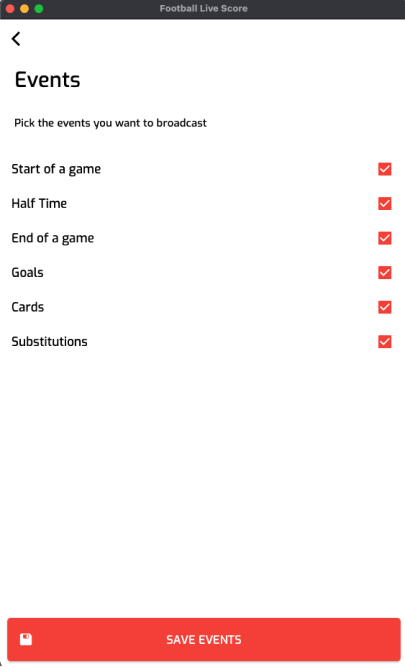
Pick the events
Then pick the types of events you want to receive in your destination: kick-off, half time, full time, goals, cards and substitutions.
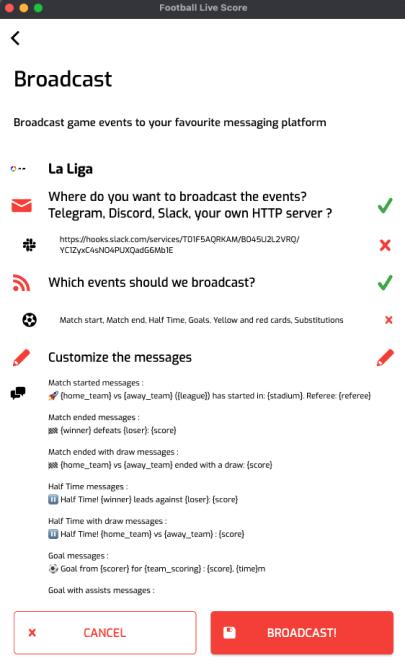
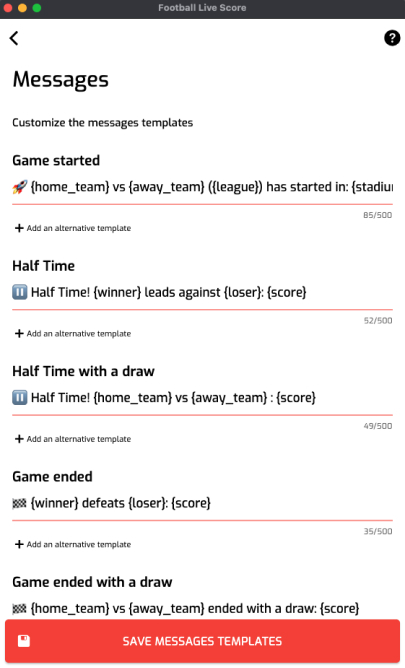
Personalize the messages
You can then personalize the message for each kind of event. You can provide several templates per event; one is picked at random each time a message is sent.
You can also use placeholders to make your messages better. See the messages customization guide for the full list.
Start your broadcast
You now have a summary of your setup. You can change any step by clicking on its cross and redoing it.
When you are ready, click on “Start broadcast”, give the broadcast a name and click OK. You will start receiving events as they happen.