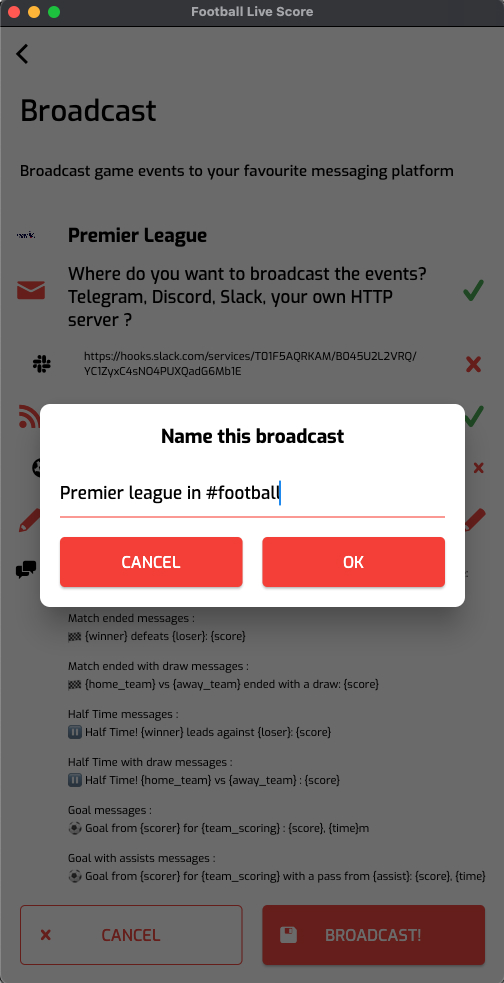


Slack integration
Set up a Slack integration and receive live events in your favourite Slack channel.
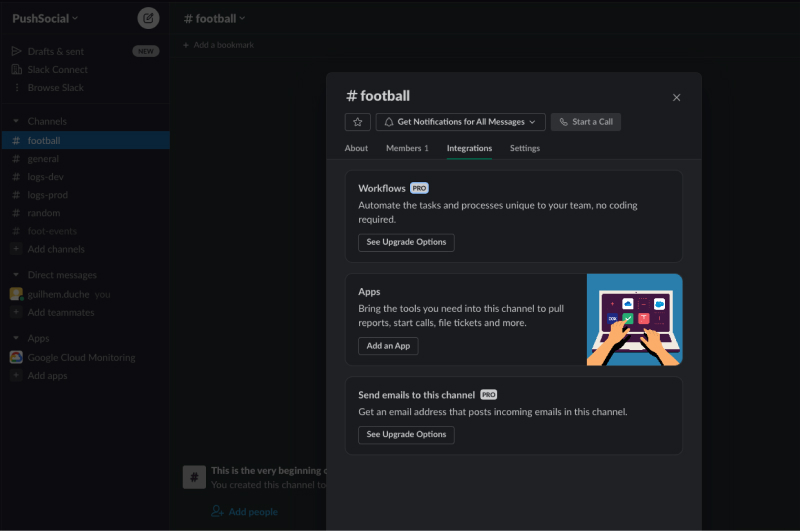
Go to channel integrations
Click on the channel name and then the integrations tab.
Find the webhook app
Click on add an app and then search for “webhook”.
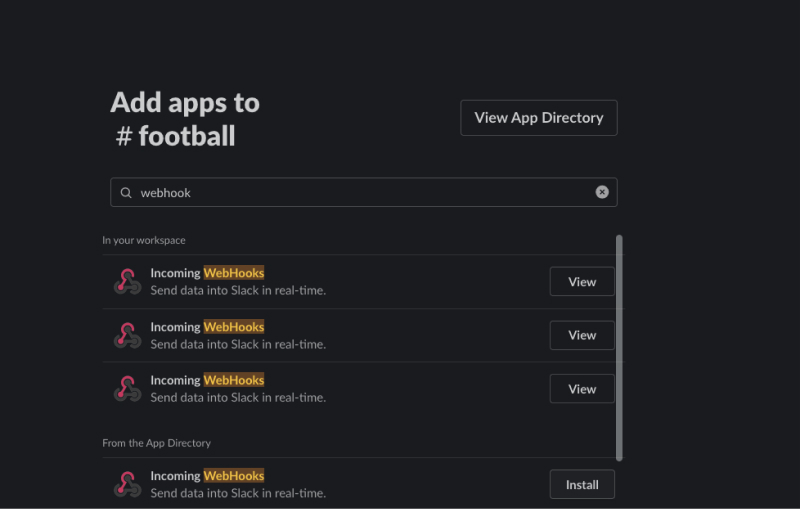
Install the webhook
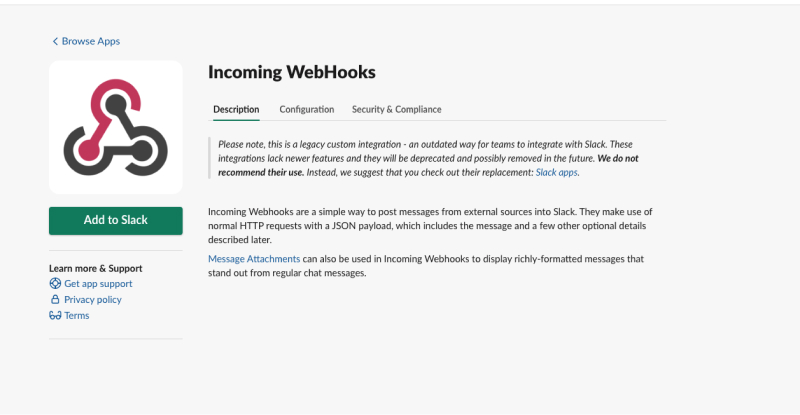
Click on the install button in the webhooks row and then click on add to Slack.
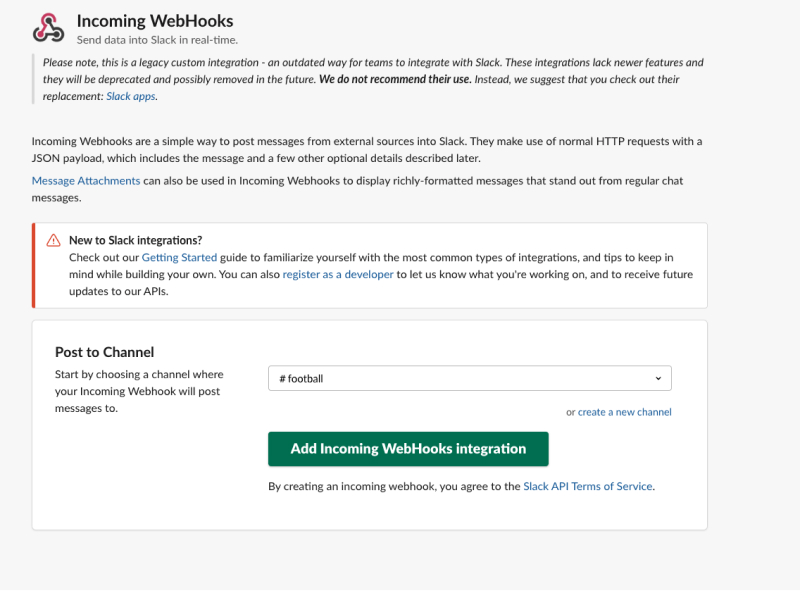
Pick the channel
Select the Slack channel where you want to send live events.
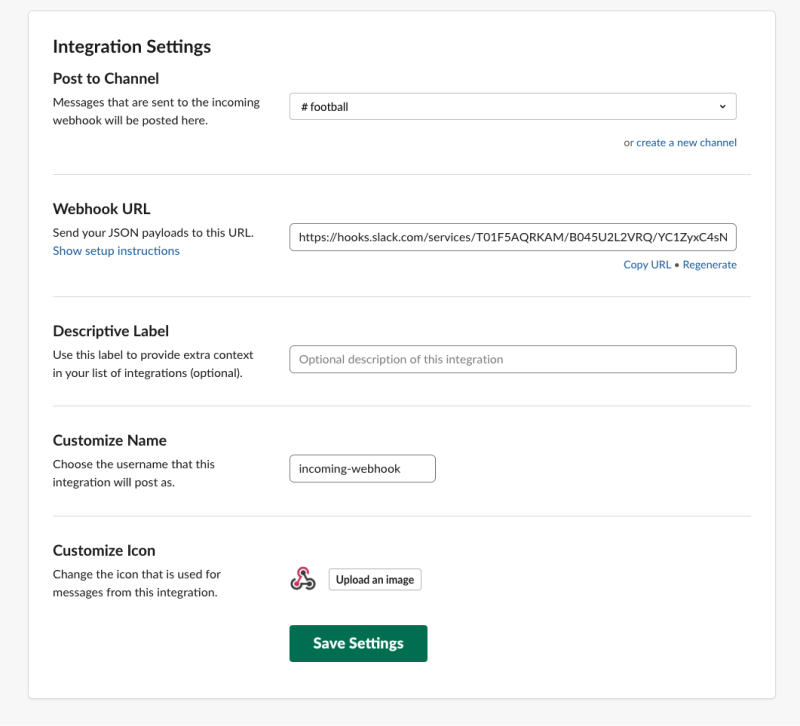
Copy the integration URL
The app is installed. You can then copy the integration URL. You can also customize other parameters. It's up to you.
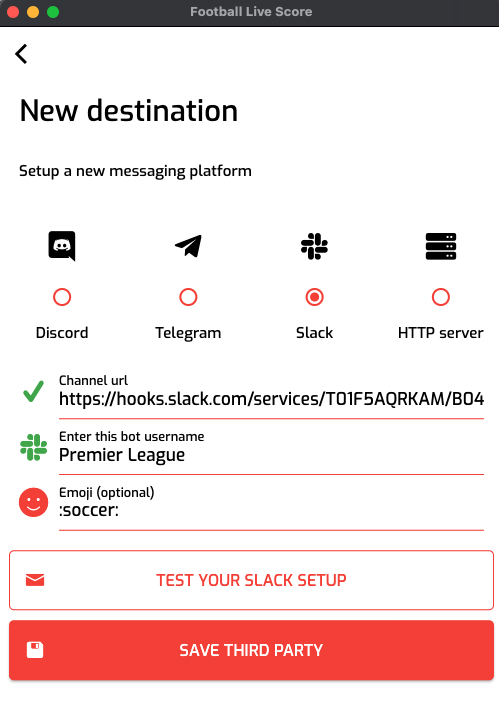
Paste the URL in the app
Paste the URL in the app when you set up your new destination. Click on “Test your Slack setup”. You should receive a message.
You can customize the name and the icon ( :soccer: for a football ball).
Save the destination and select it.
Launch your broadcast
Launch your broadcast and enjoy live events in your Slack.