


HTTP server integration
Receive live events on your own HTTP server.
Build an endpoint
Build your own webhook that accepts HTTP POST requests. Deploy it and copy its URL.
Paste the URL in the app
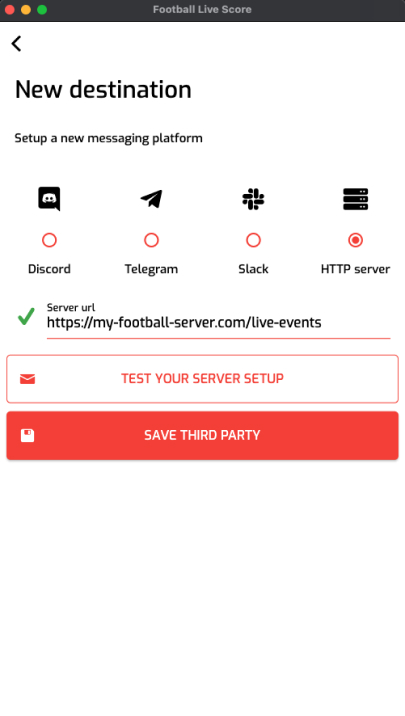
Paste the URL in the app when you set up your new destination. Click on “Test your server setup”. You should receive a message.
Save the destination and select it.
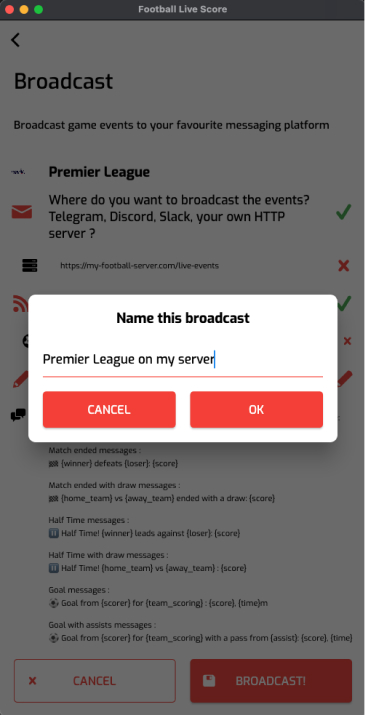
Name your broadcast and start it
Give your broadcast a name and start it. Events are posted to your server as they happen.
HTTP POST request documentation
Each event is sent as an HTTP POST request with the parameters below. Some parameters are only filled for specific events.
List of all parameters
matchId (string): match id
type (string): event type (match_started, match_ended, match_half_time, goal, card, substitution)
country (string): name of the country where the match is played
countryId (string): country id
countryLogo (string): country flag URL, if available
league (string): league name
leagueId (string): league id
leagueLogo (string): league logo URL, if available
matchStadium (string): stadium name
matchReferee (string): referee name
teamHome (string): home team name
teamHomeId (string): home team id
teamHomeBadge (string): home team logo URL
teamHomeScore (string): home team score
teamAway (string): away team name
teamAwayId (string): away team id
teamAwayBadge (string): away team logo URL
teamAwayScore (string): away team score
time (string): minute of the event
score (string): match score
side (string): side of the event (for goals, cards and substitutions)
player1 (string): player 1 name (goal scorer, booked player or player leaving the pitch)
player1Id (string): player 1 id
player2 (string): player 2 name (assist provider or player coming on)
player2Id (string): player 2 id
card (string): yellow or red
timestamp (string): server timestamp